


Free AI Video Enhancer Online
Instantly enhance video quality frame by frame with EaseMate AI. Our free video enhancer makes it easy and efficient to upscale low-quality videos into 4K online.

How to Enhance Video Quality with AI in EaseMate AI?
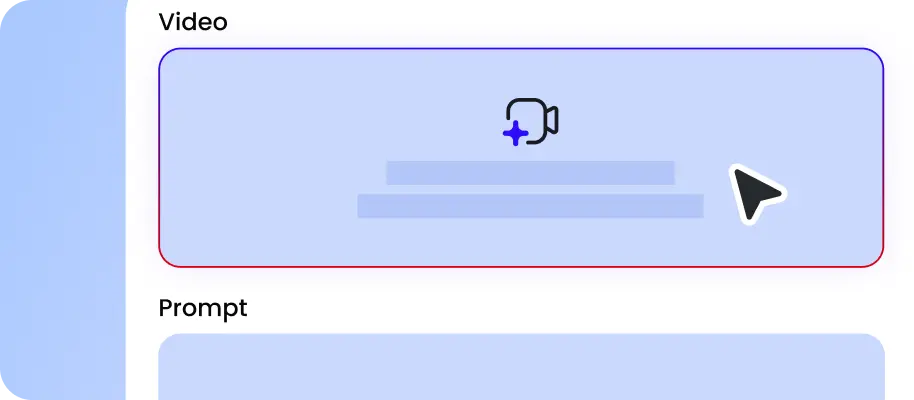
Drag your video file to the designated section. Our free video enhancer supports the most common video files, including MP4, MOV, WebM, and more.

Select the target resolution (720P, 1080P, 2K or 4K) and click "Generate" to enhance the video quality, modify the brightness, contrast, saturation, and sharpness automatically.

Once the AI video enhancement is done, you can preview the high-resolution video and then download it with no watermark.
Why Choose AI Video Enhancer in EaseMate AI
Instantly convert low-quality videos to 4K for free. Improve your video quality with our online video enhancer. It leverages AI to enhance video quality, sharpen details, correct colors, reduce noise, and modify the brightness, making your video more appealing, credible, and professional.
Enhance Video Quality Swiftly for Free
Powered by advanced artificial intelligence, our online video enhancer can help you improve the quality of blurry or low-quality videos effortlessly. There's no editing experience or software needed. Just drop your blurry video, select the resolution you want, and then this video upscaler will reconstruct the details, clean up artifacts, and increase video resolution for you in seconds. Best of all, you can get some free credit after signing up and checking in for more video enhancement.
Upscale Low-Resolution Videos to 4K with AI
Turn blurry videos into brilliant 4K with this free AI video quality enhancer. It employs sophiscated machine learning models and neural networks to analyze every pixel, sharpen edges, and restore lost details. Slight camera shake, low-night noise, and out-of-focus moments are intelligently corrected. Rather than simply enlarging frames, our 4K video enhancer online reconstructs fine details such as skin textures, hair strands, and background scenes. The enhanced video will have superior clarity and richer details, so it is perfect for post-production.
Online Video Enhancer with Auto Color Correction
Download online-sourced clips with dull colors, heavy compression, low contrast, or missing visual depth? Don't worry! After receiving your video, our free video quality enhancer will analyze the visual data frame by frame and then automatically boost saturation, brightness, contrast, and white balance for you. Once the AI video enhancement is done, the vibrant and accurate color will make your video more engaging, professional, and accessible.
Remove Noise Using Video Quality Enhancer
Meanwhile, our AI video enhancer can also identify and remove unwanted noises in the video, such as grains, speckles, small particles, and more. Whether these noises are caused by low-light conditions, camera sensor limitations, or compression, it can eliminate them in seconds while preserving details, sharpness, and clarity of videos. Then, you can use the restored footage in filmmaking, gaming, and social media content.
FAQs of AI Video Enhancer by EaseMate AI
What is a video enhancer?
A video enhancer is designed to improve the video quality with the help of artificial intelligence. Trained on large datasets, it can convert low-quality videos into high-quality ones by enhancing the resolution, increasing frame rate, correcting colors, removing artifact, and deblurring and sharpening. Within seconds, you can get a higher-quality video with better clarity, sharpness, and definition, , perfect for enhancing film archives, restoring old footage, or improving surveillance videos.
How does this video quality enhancer work?
What types of videos can I enhance?
What's the difference between a video enhancer and a video upscaler?
Is there a free way to enhance my video quality?
EaseMate AI ToolKit
Find any tool you want here to make efficiency at your fingertips




