


Kling O1 AI Video Model Online
As the world's first unified multimodal AI video modal, Kling O1 can now generate or edit 5-10 seconds videos online from text, images or a reference video with consistent character and stable motion.


How to Generate Videos with Kling O1 Model in EaseMate AI?
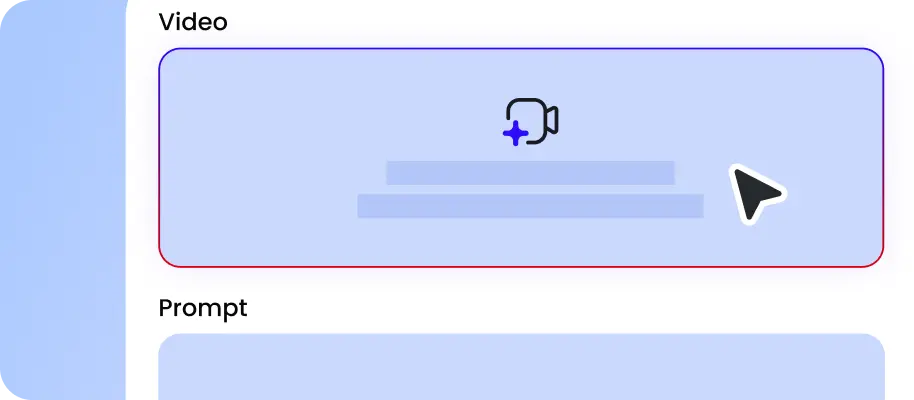
Upload a reference image or video, or describe the scene you want in natural language, including characters, motions, camera moves, styles, etc.

Choose a preferred aspect ratio, duration, and resolution of your videos and click "Generate" to let our Kling O1 AI video generator bring your ideas to life.

Within moments, you can get a high-quality preview and export the generated video in MP4 format without any watermark.
Why Choose Kling O1 AI Video Generator in EaseMate AI
Generate and edit high-quality videos with Kling O1 online. This unifed multimodal AI video model seamlessly integrates text to video, image to video, video editing, and first frame to last frame video generation in one platform while delivering consistent characters, motions, scenes, etc.
Generate and Edit Videos with Kling O1 Online
Experience next-gen video generation with Kling Omni 1. It delivers improved video consistency, multimodal input, and combined tasks. Also, our reference image to video generator supports the first frame and last frame feature to helps you to extend narratives while keeping motions, lighting, character, and scene consistent. Just enter your ideas or upload the reference image or videos to generate or edit cinematic videos in no time!
Multimodal Inputs for Text, Images, and Videos
As the world's first multimodal AI video generator, Kling O1 can now accept various inputs, including text, multiple reference images, and videos simultaneously. This enables creators to refine details, preserve textures, and maintain consistent characters across different scenes. It excels at texture retention and precise edits, making tasks like restyling videos or extending shots effortless.
One-Tap Video to Video Style or Scene Transfer
Kling O1 video to video generator makes it easy to change the style or the effect of your videos. With one tap, turn your footage into cinematic storytelling, playful animal, tactile calymation or moody cyberpunk visuals. Also, you can use text prompts or reference images to redesign the scenes or refine details. Simply upload a short reference video, and then you can produce coherent follow-up or preceeding shots along with consistent motion and angles, perfect branding videos, storytelling, etc.
Extend Video Length While Maintaining Consistency Across Scenes
This free Kling O1 AI video generator makes it easy to expand short clips into a much longer and cohesive sequence. After receiving your reference video, it will analyze your footage deeply and generates new shots that preserve color accuracy, character appearance, and environment without any distortions. Therefore, this is ideal for long-form storytelling, promotional content, multi-shot cinematic scenes, product tutorials, and more.
FAQs of Kling O1 AI Video Generator by EaseMate AI
What is Kling O1?
Kling O1, also known as Kling Omni One, is the world’s first unified multi-modal video model developed by Kuaishou Technology. It seamlessly combines text-to-video, image-to-video, and video editing in a single architecture. This means you can generate or edit videos in one platform without stitching together with other editing tools. After receiving your start and end frames, it will animate a smooth transition between them based on the style and scene description you specify. Also, it supports native audio generation and synchronisation, so you need to find or match the voiceover and background music frame by frame.
How is Kling O1 different from the previous Kling AI models?
Can I use Kling O1 for free?
Does Kling O1 have an AI image model as well?
How many reference images can I upload to this Kling O1 AI video generator?
EaseMate AI ToolKit
Find any tool you want here to make efficiency at your fingertips




