


AI Humanizer: Transform AI-generated Content into Human-like Writing and Bypass AI
EaseMate AI Humanizer is your go-to platform to turn AI-generated text into natural, human-like writing and preserve its original meaning for free.
How to Use EaseMate AI Humanizer
Paste or type the AI-generated text in the AI chatbot of EaseMate AI Humanizer.
Click the "Humanize" button to convert your pasted or typed AI content into human-like texts and improve readability.
After seconds, you'll get a more authentic, undetectable, human-like version in the window.
Why Choose EaseMate AI Humanizer
To quickly convert AI content generated from ChatGPT, Bard, Jasper, or Grammarly into faithful, authentic, and natural language for free.
Humanize AI Text and Bypass AI Detectors via ChatGPT-4o mini
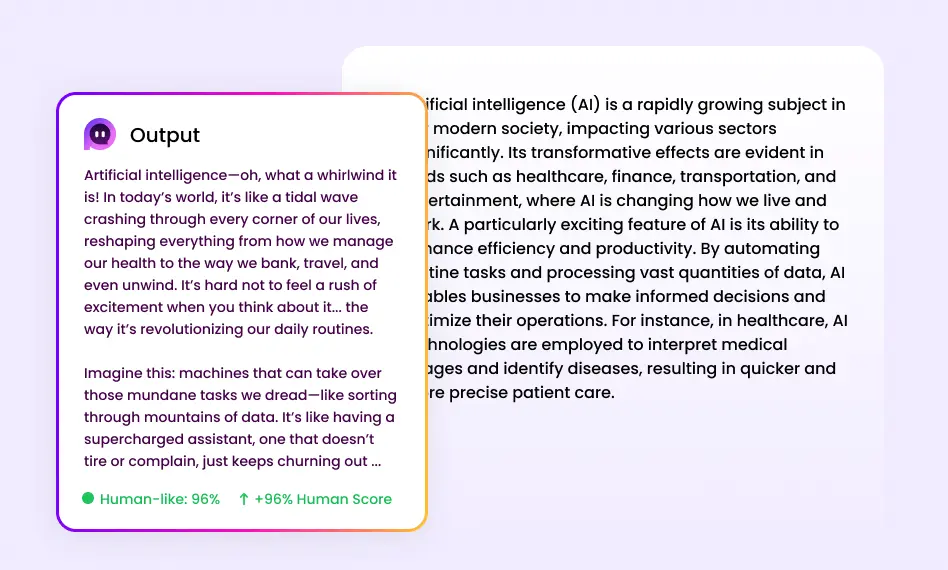
Supported by ChatGPT-4o mini, EaseMate AI Humanizer can automatically detect and humanize your pasted texts, displaying more natural, human-like writing that can bypass powerful AI detectors.
Applicable to a Wide Range of User Groups
Our EaseMate AI Humanizer suits many users, including students, marketers, office workers, novel creators, and copywriters. In short, this tool works for content creators from all walks of life!
Protect Your Privacy and Provide Two Types of Experiences
EaseMate AI Humanizer will not save personal data. So, it can safely secure, prevent the misuse of personal data, and block your pasted texts from being trained by AI models. Besides, you can enjoy a better user experience via the online web.
Free of Charge & No Login Requirements
Even without a subscription and registration, you can enjoy the excellent and free service provided by EaseMate AI Humanizer.
FAQs of EaseMate AI Humanizer
Is there a free AI humanizer?
Of course, there is. EaseMate AI Humanzier is 100% free. Access EaseMate AI Humanizer online, paste the AI-generated content you want to convert and click the "Humanize" button. After that, you'll receive more natural and human-like content and bypass AI detection.
Who is EaseMate AI Humanizer designed for?
What AI model does EaseMate AI Humanizer support?
Can EaseMate AI Humanizer humanize AI text free 1,000 words?
Can you humanize AI text without logging into it?
EaseMate AI ToolKit
Find any tool you want here to make efficiency at your fingertips




