


PDF Viewer - Free & Handy Online PDF Helper
Read uploaded PDFs, ask questions, or extract data from PDFs with EaseMate' advanced AI-powered technology.
Drag & Drop, or Choose PDF, Doc, PPT to upload
PDF, Doc, PPT Files Supported.
How to Use EaseMate AI PDF Viewer

Click the "Browse File" icon to upload your targeted PDF document to EaseMate AI PDF Viewer.

Supported by ChatGPT-4o-mini and other AI models, the EaseMate AI PDF Viewer will automatically scan your added PDF document and extract key insights or its main idea.

Users can chat with or ask questions about your uploaded PDF document with the default AI chatbot, ChatGPT-4o-mini model.
Why Choose EaseMate AI PDF Viewer
With EaseMate AI PDF Viewer, you can easily read PDFs, ask questions, and extract data from PDFs without a penny.
Read a Uploaded PDF Online for Free
EaseMate AI PDF Viewer is an AI PDF reader that allows you to upload your PDF articles, reports, manuals, or books to the cloud and recognize the PDF content. No sign-up is required, completely free to get started.
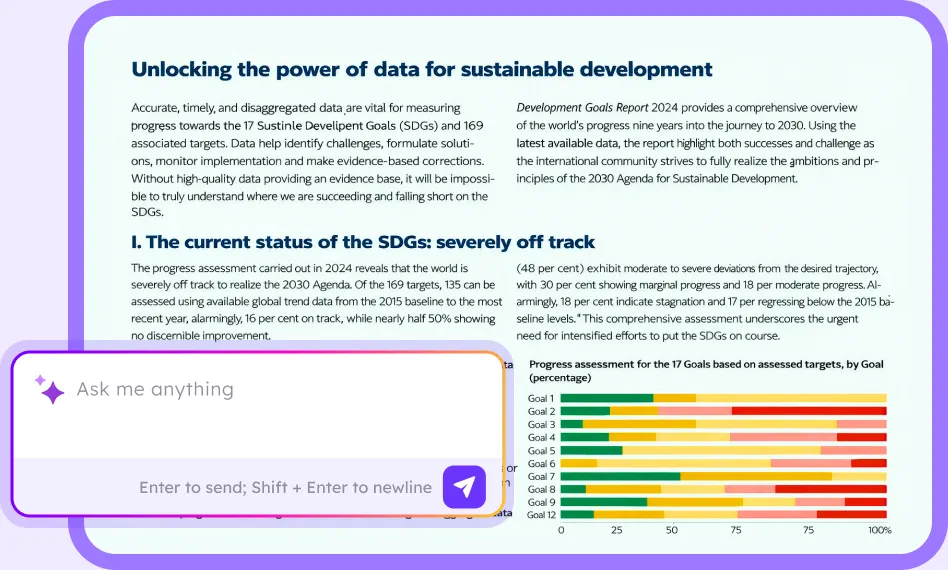
Automatically Summarize Uploaded PDF with the Default AI Model
Say Goodbye to a long PDF reading journey. Once uploaded, EaseMate AI PDF Viewer will automatically recognize and summarize the length of PDF content in a few seconds using the ChatGPT-4o-mini model. To get a more accurate summary, users can switch the default AI model to GPT-4o, Claude 3 Haiku, Deepseek R1, Deepseek V3, or Meta Llama 3.3 70B for a try.
Answer Questions from Your Uploaded PDF Content
Users can ask questions about their uploaded PDF content. Then, the EaseMate AI chatbot will quickly display answers and swiftly navigate to the relevant content.
Easily Extract Text from a PDF
EaseMate AI PDF Viewer's OCR feature has the ability to scan, recognize, and extract texts from image-based PDFs, searchable, read-only, or DRM-protected PDFs.
FAQs of EaseMate Free Online PDF Viewer
Is EaseMate AI PDF Viewer free?
Of course, it is. You can upload unlimited PDF files daily and ask unlimited questions to EaseMate AI PDF Viewer. Besides, you can get a history of the documents you save and your conversations with them.
Is EaseMate AI PDF Viewer safe?
Is there an AI that summarizes PDFs?
Can AI read scanned PDF?
Can Adobe Acrobat read AI files?
EaseMate AI ToolKit
Find any tool you want here to make efficiency at your fingertips




