


Passport & ID Card Scanner - Extract Data with OCR for Free
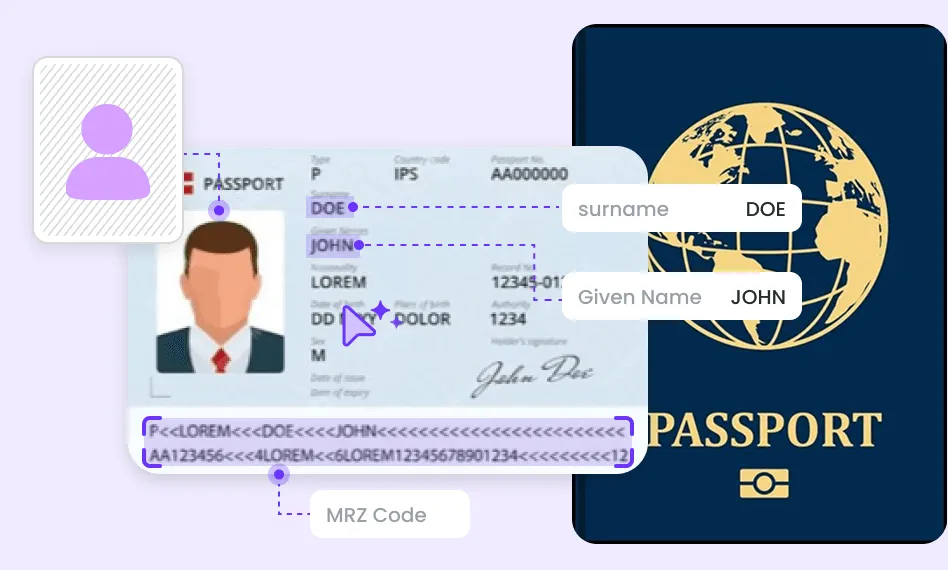
Want to extract identity information accurately and quickly? EaseMate AI Passport & ID Card OCR utilizes OCR technology and powerful AI (GPT-4o-mini) to quickly scan and extract data from passports and ID cards from around the world.

imageOcr.uploader.dragAndDrop
imageOcr.uploader.chooseFileimageOcr.uploader.formats
How to Use EaseMate AI Passport & ID Card Scanner

Drag or click "Choose a File" to upload a clear image of your passport or ID card in JPG, JPEG, BMP, GIF, or WEBP format.

Choose the type of document uploaded, such as a passport, driver's license, or national ID card, to ensure accurate extraction.

Click "Start," and it will automatically extract information from your passport or ID card.
Why Choose EaseMate AI Passport & ID Card Scanner
With OCR technology, EaseMate AI Passport and ID Card OCR Scanner easily extracts data from passports and ID cards. It helps to quickly recognize and verify identity information for free.
Exceptional Data Extraction Accuracy
Rapidly and accurately extract data from passports and ID cards, minimizing manual errors and enhancing processing efficiency.
Comprehensive Format Compatibility Support
Supports a wide range of ID document formats, including passports, driver's licenses, and national ID cards, making it versatile across regions and industries.
Efficient Batch Processing of Identity Information
It recognizes large numbers of passports as well as identity documents, streamlining the process and significantly reducing manual processing time, making it ideal for batch identity verification needs.
Enhanced Privacy Protection and Information Security
This passport and ID card OCR scanner uses strong encryption and secure storage protocols to prevent unauthorized access and data leakage. After extracting information from ID cards and passports, it deletes your data to keep your identity information safe.
FAQs of EaseMate AI Passport & ID Card Scanner
What is OCR technology?
OCR (Optical Character Recognition) is a technology used to recognize and convert printed or handwritten text from a digital image of a physical document into machine-readable text. Combined with AI technology, OCR can be very effective in recognizing ID and passport information.
Who is EaseMate AI Passport & ID Card Scanner designed for?
What AI model is EaseMate AI Passport scanner using?
Can I use EaseMate AI Passport and ID Card Scanner on mobile phones?
Is EaseMate AI Passport and ID Card OCR free?
EaseMate Al ToolKit
Find any tool you want here to make efficiency at your fingertips




