


Remove Object from Photo Online Free, No Sign-up
Instantly remove unwanted objects from photos with AI. No editing skills or sign-up needed, our free object remover helps you to erase distractions online in moments.

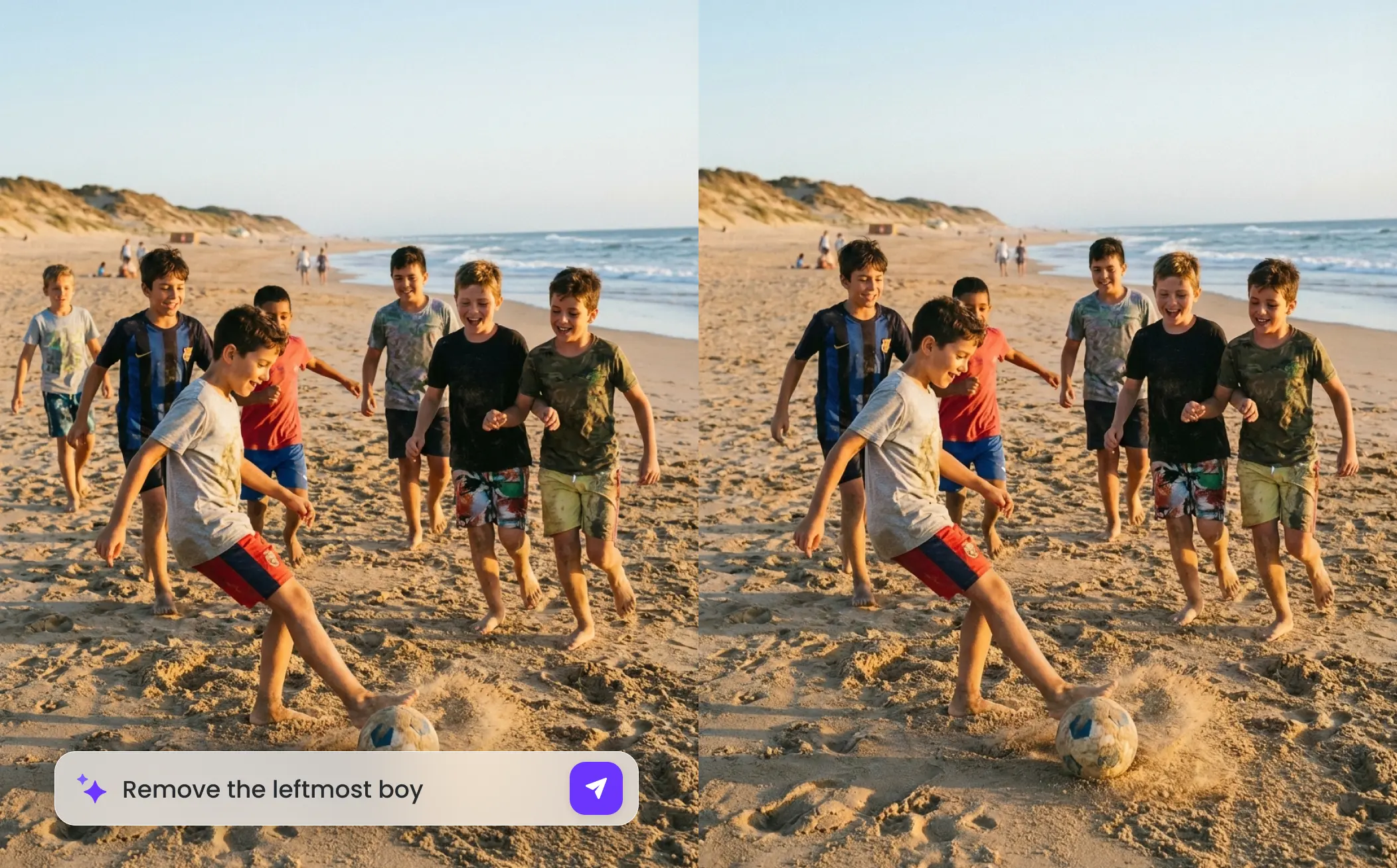
How to Remove Object from Photo on EaseMate AI?

Drag and drop the image you want to edit. Our object remover supports the most common file formats, including JPG, JPEG, PNG, and WEBP.

Use the brush to select or type the object you want to remove, such as people, patterns, logos, text, blemishes, and more. Then, click "Generate" to erase the selected objects from the image with AI.

Once the smart object removal is done, you can preview the cleaned image and download a watermark-free version to your computer or phone for free.
Why Choose Object Remover in EaseMate AI
With our free object remover, deleting distracting objects, people, logos, watermarks, text, or background from pictures is a click away. Just drop any image online and brush over the object to clean it up in seconds. Perfect for travel shots, property photos, product photography, marketing materials, and more.
Remove Object from Photo Online for Free
Declutter your photos instantly with our free AI object remover. Simply highlight unwanted objects, people, text, watermarks, or blemishes, and watch them disappear without losing quality. No complicated steps or sign-ups involved. The high-resolution and watermark-free results make it ideal for retouching portraits, improving product photography, and producing clean, professional visuals for social media.
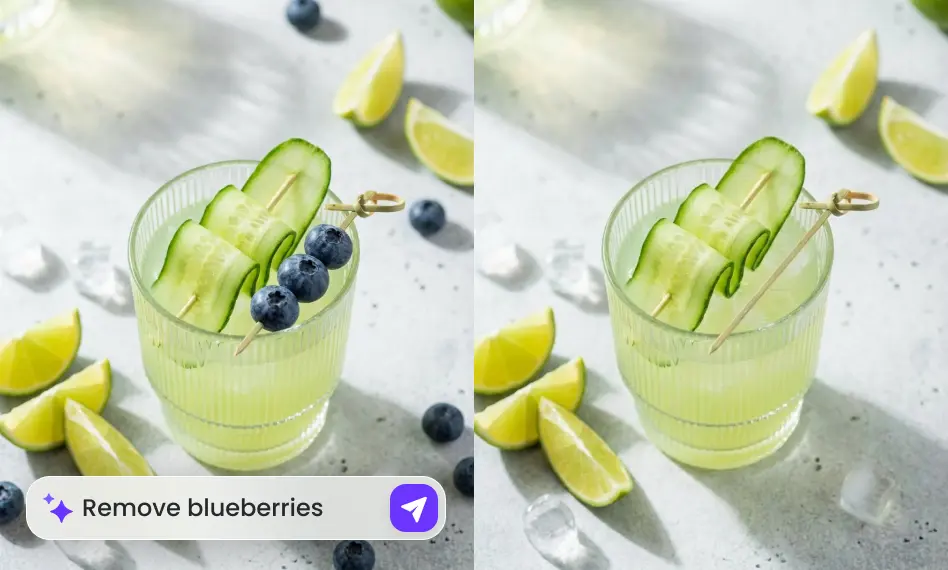
Erase All Types of Unwanted Objects in Seconds
Say goodbye to all types of unwanted distractions with this online object remover. Whether it's photobombers, clutter, text, or distracting shadows, the sophisticated algorithms intelligently analyze surrounding pixels to recreate a clean and natural background. It is perfect for enhancing product listings, social media posts, or personal pictures. Without the Clone Stamp tool, Healing Brush, and Content-Aware Fill, you can get high-quality results every time.
One-Click Object Removal with AI-Precision
Unlike traditional tools that simply duplicate nearby pixels, the advanced AI models will intelligently repaint the backgrounds after removing objects from the picture. In this way, the filled-in area will match the lighting, textures, and patterns seamlessly. Even for complex backgrounds like water, hair, or architectural patterns, this object eraser can handle them with high precision.
Online Object Remover With Zero Quality Loss
Erase unwanted objects from your photos while preserving stunning image quality. Unlike other tools that may blur or compress images, this online object remover delivers polished, high-resolution results that look natural and untouched. Filling in gaps with matching colors and textures, it makes your photos look authentic and ready for any digital or print use anytime.
FAQs of Object Remover by EaseMate AI
How does this object remover work?
Integrated advanced AI models like Nano Banana, GPT-4o, Seedream 4.0, and more, our object remover can intelligently scan the selected unwanted elements, remove them, and then reconstruct the background. Best of all, all the operations function directly in the browser, so you don't need to download an app or even create an account.
Is there a free way to remove objects from photos?
Can I erase multiple objects from a single photo?
What type of elements does this object remover delete from your picture?
Does the AI object removal affect the quality of my photo?
EaseMate AI ToolKit
Find any tool you want here to make efficiency at your fingertips




