Seedance 2.5 Flash: Generate High-Quality AI Videos Faster
Seedance 2.5 Flash is a faster video generation model within the Seedance 2.5 series. It not only reduces wait times while maintaining high video quality, but also lowers the cost of generation.


How to Generate Videos with Seedance 2.5 Flash on EaseMate AI
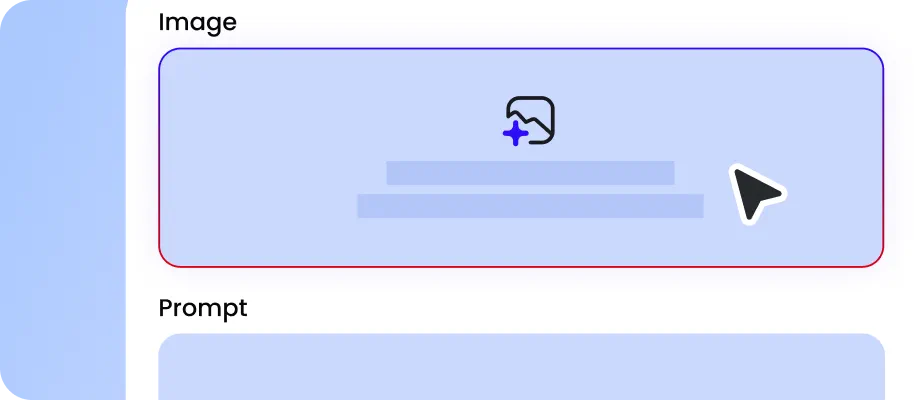
Choose the Seedance 2.5 Flash and describe the shot you want to test, including the subject, the setting, and the sequence of actions from start to finish.
Specify a reference mode (such as "first and last frames"). Set the aspect ratio, resolution (480P or 720P), and clip duration, then click "Generate" to create a video that includes synchronized audio.

Open the generated clip and evaluate the results. If it aligns with your vision, you can reuse the original prompt and reference materials in Seedance 2.5 to create a higher-quality version. Click "Download" to save the video.
Why Choose Seedance 2.5 Flash AI Video Generator on EaseMate AI?
Create more for less with Seedance 2.5 Flash for free! Enjoy nearly 2x faster generation, 34% lower costs, and impressive video quality. It’s perfect for product ads, cinematic clips, and social media campaigns.
Save up to 34% Costs than Seedance 2.5
Save significantly on every AI-generated video second with Seedance 2.5 Flash. Compared with standard Seedance 2.5, its optimized pricing reduces 720P text-to-video and image-to-video generation costs by approximately 34%. This advantage becomes particularly noticeable when creating longer sequences or handling batch generation tasks. If you're developing a series of 30-second social videos, the savings across multiple drafts and rerolls can help stretch your production budget while maintaining a steady content output.
Generate AI Videos Nearly 2x Faster with Seedance 2.5 Flash
Experience nearly 2x faster AI video generation with Seedance 2.5 Flash. Its accelerated 480P and 720P rendering speeds help turn text prompts and image references into video previews with less waiting. Quickly experiment with camera movements, character actions, and scene transitions. For example, test several product reveal angles or adjust a character's motion in seconds, making prompt iteration, creative prototyping, and video production more efficient.
Inherit the Core Capabilities of Seedance 2.5
Get high-quality AI-generated videos without the longer rendering time or higher costs. Our free Seedance 2.5 Flash AI video generator inherits the core capabilities of Seedance 2.5, delivering comparable visual consistency, natural character movements, and accurate prompt execution. Although its maximum resolution and reference input limits are lower than the standard Seedance 2.5, its 720P video quality meets the needs of most creators.
Optimize AI Video Generation with Draft-Then-Final Workflow
Save credits while perfecting your videos with Seedance 2.5 Flash's two-stage generation workflow. First, create a low-cost 480P draft to evaluate prompt accuracy, motion effects, and scene transitions. If a character's gesture or camera movement looks unnatural, simply refine your prompt and generate another preview. Once everything looks right, use the saved draft ID to proceed with a high-resolution render. This draft-to-final process helps minimize wasted rendering resources while keeping your creative workflow efficient.
Explore More AI Video Models at a Low Cost




FAQs about Using Seedance 2.5 Flash on EaseMate AI
What is Seedance 2.5 Flash?
Seedance 2.5 Flash is a fast AI video generation model in the Seedance 2.5 family. It is designed to make video creation more efficient through faster generation and lower-cost creative iteration. It supports workflows such as text-to-video, image-to-video, reference-based generation, and synchronized audio-video creation, making it useful for testing ideas and producing video previews.
What is the difference between Seedance 2.5 Flash and Seedance 2.5?
Where can I use the Flash version?
Can the Flash version completely replace Seedance 2.5?
Seedance 2.5 Flash vs. Seedance 2.0: Which one is better?
EaseMate AI ToolKit
Find any tool you want here to make efficiency at your fingertips